
Tools · Mods
Gothic 1 Remake Mods
Two answers up front, because they’re the two things everyone searching Gothic 1 Remake mods actually wants. Yes — the remake is moddable, and Nexus already hosts dozens within days of launch. And no — your old Gothic mods won’t work, because this is a fresh Unreal Engine 5 build, not the 2001 ZenGin game. Here’s how modding works now, what to install, and how to do it safely.
The 30-second verdict
Gothic 1 Remake mods in 30 seconds
Four lines before the full Gothic 1 Remake mods breakdown: that it’s moddable, why old mods don’t carry over, how the modding stack works now, and the one rule for installing without breaking your save.
The veteran question
Why your old Gothic mods won't work in the remake
If you modded the original to death — textures, Union scripts, Archolos — your first question is whether any of it carries over. The honest answer is no, and the reason is the same engine change that reshapes everything else about Gothic 1 Remake mods.
The 2001 Gothic and Gothic 2 ran on Piranha Bytes’ in-house ZenGin engine, and two decades of community mods were built against it. The remake is a from-scratch build in Unreal Engine 5. Those are completely different file formats, scripting systems and asset pipelines, so a classic mod has nothing to hook into here — it simply isn’t the same game underneath the familiar colony.
That isn’t all bad news. UE5 is one of the most mod-friendly engines around, so instead of porting old files, modders are rebuilding the changes people want as new remake-specific mods. It also explains why the cheating route changed in the same way: the classic typed Marvin Mode is gone, replaced by the engine console — the full story is in the Gothic 1 Remake cheats guide. Same cause, two effects. One caveat before you plan a load order: modding lives on the PC builds, not the console versions — the Gothic 1 Remake console and platforms guide spells out which platforms can and can’t mod.
The modding stack
How modding the Gothic 1 Remake actually works
Gothic 1 Remake mods work the way other Unreal Engine 5 games do. Three pieces do almost all the work — once you know what each is for, every mod page's install notes stop looking cryptic.
UE4SS
A general Unreal Engine 5 tool that loads Lua and DLL mods into the running game. Many gameplay and quality-of-life Gothic 1 Remake mods need it installed first — it's the layer that lets community scripts hook into the game.
.pak mods
Packaged files that swap or add game assets — textures, models, configs. You drop them into the game's mod folder. This is how most visual and content mods ship, the same format UE5 games use everywhere.
G1L (mod manager)
A community-made launcher for the remake: it auto-detects the game, installs .zip/.7z/.pak mods by drag-and-drop, manages UE4SS, edits mod configs, shares load-order profiles by link, and backs up saves before each launch.
The specifics here — tool names, what each handles — are reconstructed from early community guides and the live Nexus listing Single source and will firm up as the modding scene and official tooling settle after launch.
What to install
The best Gothic 1 Remake mods by category
The early Nexus scene clusters into four buckets. These are the most-cited picks in each — a curated starting point, not the whole list — with every name single-source this soon after launch, so confirm the current version on Nexus before you install.
A quick map before the lists. Most players reach for the same three things first: a lockpicking mod, because the slider minigame is the most-complained-about system; a performance mod, because the remake is a heavy UE5 title; and one quality-of-life tweak to smooth the friction. If lockpicking specifically is what sent you here, the lockpicking guide has a free solver and a never-break-a-pick method that need no mods at all.
And a gentle reality check: if the early game just feels too hard, a mod isn’t your only lever. Picking the right difficulty before you start does more for survival than any tweak, and it keeps your achievements intact — which heavier gameplay mods can put at risk.
Quality of life & lockpicking
The most-installed category — small fixes that smooth the friction the remake leaves in. Lockpicking mods dominate it, because the slider minigame is the single most-complained-about system.
Unlock All Chests and Doors
Skips the lockpicking minigame entirely — by early counts the single most-downloaded Gothic 1 Remake mod.
Lockpick Settings
Keeps the minigame but softens it: more tries before a pick breaks, an optional next-move hint and a connection display.
Camp Fast Travel
Adds fast-travel points between the major camps to cut the long walks back and forth across the colony.
Highlight All Nearby Items
Outlines lootable items in the world so you stop missing pickups in dark corners and dense brush.
Performance & stutter fixes
The launch-week essentials. The remake is a demanding UE5 title, so the top non-cosmetic mods are about smoothing frame pacing and killing traversal stutter.
Ultimate Engine Tweaks
Aims to remove most stutters, raise stability, lower input latency and sharpen image clarity through engine config changes.
UE5 Stutter Fix & Optimizer
Targets the stutter and frame drops UE5 games are prone to, stabilising FPS during traversal and combat.
Graphics Presets
A set of ready-made graphics configurations so you can match the game to your PC without tuning every setting by hand.
Visual & lighting
Where 'I want it to look better' searches land. These push lighting, color and clarity past the default presets — the part of modding the engine change actually makes easier than the old game.
Ultra Plus
A combined pass that fixes in-game settings, improves visuals and reclaims some performance at the same time.
Cinematic Lumen Overhaul
Reworks lighting, shadows and environmental effects for a moodier, more cinematic colony.
RenoDX
Adds proper HDR output for HDR displays — a color/tone-mapping mod rather than a content change.
Inventory & interface
For players who want the UI to get out of the way — or to feel a little more like classic Gothic than the remake's default screens.
Classic Grid Inventory
Brings back a grid-style inventory layout for faster, cleaner item management.
Immersive HUD and UI
Trims and restyles the on-screen interface for a cleaner, less intrusive look.
FOV — camera and more
Opens up field-of-view and camera controls the base game keeps locked down.
Mod names, what each does and which is “most downloaded” are early single-source and change fast Single source — accurate as of June 2026. Treat this as a map to the categories and check the live Nexus page for current versions, ratings and conflicts.
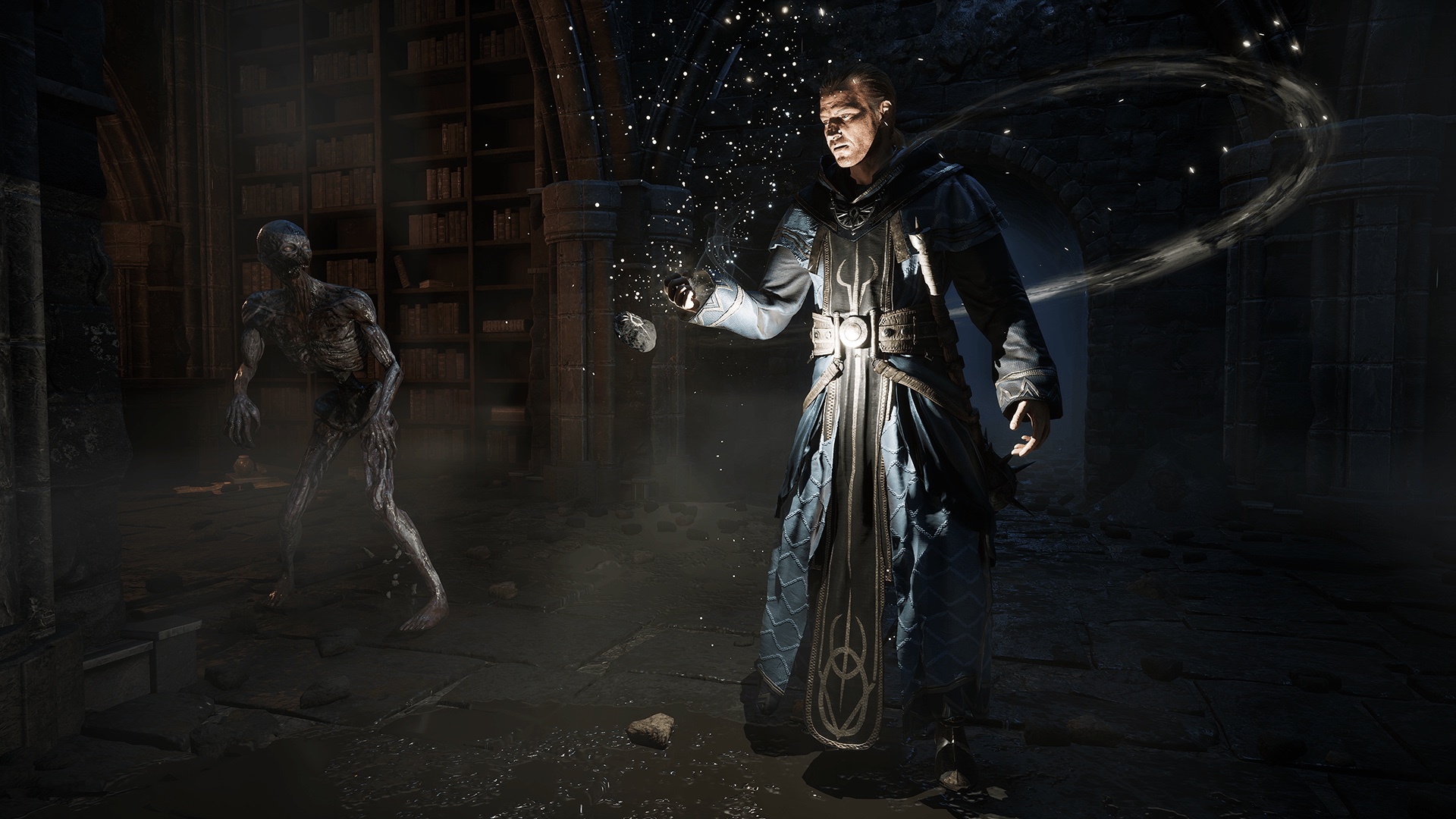
Visual mods are the part of Gothic 1 Remake mods that the engine change makes easier, not harder. Because the remake already runs UE5’s lighting, a Lumen overhaul or an HDR mod is working with the grain of the engine rather than against an old renderer. That’s a real upside of losing the classic mod library.
Performance mods are the flip side of the same coin. A modern UE5 build is demanding, and traversal stutter is the most common launch-week complaint, so an engine-tweaks or stutter-fix mod is often the very first thing players install — before any cosmetic change. If you’d rather not mod at all, dialing settings down and reading the combat guide will get you a smoother first run on its own.
The safe route
How to install Gothic 1 Remake mods safely
Installing is straightforward once you know whether a mod is a plain asset drop or needs UE4SS. These four steps keep your saves intact and steer you clear of the sketchy downloads that ride the Gothic 1 Remake mods keyword.
The golden rule is the same one experienced modders give for any game: change one thing at a time. Install a mod, launch, confirm it works and didn’t break anything, then add the next. When something does go wrong, you’ll know exactly which mod did it instead of unpicking a tangle of ten.
Source matters just as much. Stick to the official Nexus page and reputable mod pages; be wary of any site pushing a standalone .exethat promises “cheats”, trainers or instant fixes — those are where the real risk lives, not in normal .pak mods.
Safe-install checklist
- Download only from the official Gothic 1 Remake Nexus page — never a random mirror or repacked archive.
- Read each mod’s required-tool note — whether it’s a plain
.pakdrop or needs UE4SS — before you install. - Copy your save folder first, then add and test one mod at a time so any conflict is easy to trace.
- Standalone
.exe“trainers” that promise instant cheats — that’s where the real risk lives. - Stacking ten mods in one go — a broken save then tells you nothing about which one did it.
Get the mod from Nexus
Use the official Gothic 1 Remake page on Nexus Mods as your source. Read the mod's own description for what it changes and which tool it needs — some are plain .pak drops, others require UE4SS. Avoid sites pushing a standalone .exe that promises cheats or instant fixes.
Install UE4SS first if the mod needs it
Lua and DLL gameplay mods load through UE4SS, so install that once before them. Cosmetic .pak mods usually don't need it. Each mod page states its requirement — follow the mod's instructions rather than a generic recipe.
Drop it in — by hand or with G1L
Manually, you place .pak files in the game's mod folder. The easier route is the community launcher G1L: drag the downloaded archive onto it and it installs the mod, wires up UE4SS and manages load order for you.
Back up your save and add one at a time
Copy your save folder before you start, then install and test mods one at a time so a conflict is easy to trace. G1L backs up saves before each launch, but a manual copy of a run you care about is cheap insurance.
Quick answers
Gothic 1 Remake mods FAQ
Does the Gothic 1 Remake support mods?
Yes. Within days of release the remake has an official page on Nexus Mods hosting dozens of Gothic 1 Remake mods, from performance and stutter fixes to lockpicking tweaks, visual overhauls and inventory changes. It mods the way other Unreal Engine 5 games do — UE4SS for Lua scripts, .pak files for assets, and a community launcher (G1L) to install them. There is no officially announced Steam Workshop integration as of June 2026, so Nexus is the main hub.
Will my old Gothic or Gothic 2 mods work in the remake?
No. The original 2001 Gothic and Gothic 2 ran on Piranha Bytes' ZenGin engine, while the remake is a from-scratch build in Unreal Engine 5. Classic mods — texture packs, Union scripts, total conversions like Archolos — are made for the old engine and do not drop into the remake. Modders are rebuilding the kinds of changes people want as new UE5 mods instead, so look for a remake-specific version rather than reusing an old file.
What are the best Gothic 1 Remake mods to install first?
Early on, players gravitate to three buckets: a lockpicking mod (Unlock All Chests and Doors to skip it, or Lockpick Settings to soften it) because the slider minigame is the most-complained-about system; a performance mod (Ultimate Engine Tweaks or a stutter fix) because it's a demanding UE5 title; and a quality-of-life pick like Camp Fast Travel or item highlighting. These names are early and single-source, so check the live Nexus listing for current versions and ratings before you install.
How do I install Gothic 1 Remake mods safely?
Download from the official Nexus page, read each mod's requirements (some need UE4SS, most .pak mods don't), back up your save folder, and install one mod at a time so any conflict is easy to trace. The community launcher G1L makes this easier — drag-and-drop installs, automatic UE4SS handling and save backups before each launch. Never run a random executable that promises cheats or 'instant fixes'; stick to reputable mod pages.
Do mods disable achievements in the Gothic 1 Remake?
It depends on the mod. Purely cosmetic or performance mods generally shouldn't, but gameplay-altering mods can flag your save the same way the developer console does, which by early reports blocks Steam achievements on that save. This is single-source so soon after launch and not officially documented. If achievements matter to you, test heavier mods on a copied save rather than your main run — the same advice as for console cheats.
Is there a mod manager for the Gothic 1 Remake?
Yes — G1L is a community-made launcher and mod manager for the remake. It auto-detects the game, installs .zip/.7z/.rar/.pak mods by drag-and-drop, manages UE4SS, edits mod configs, shares load-order profiles via a single link and backs up saves before every launch. It's the easiest way in if you don't want to place .pak files and set up UE4SS by hand. As with every tool here, source it from its official mod page.
Keep exploring